
You’ve been able to showcase your profile as part of our Social Avatars update. We’ve done a visual revamp to help reduce some of the clutter from the initial relaunch based on your feedback. You can still showcase your biggest wins, luckiest odds, and most played titles on your public profile, and turn incognito if you’d like to hide that data from other users.
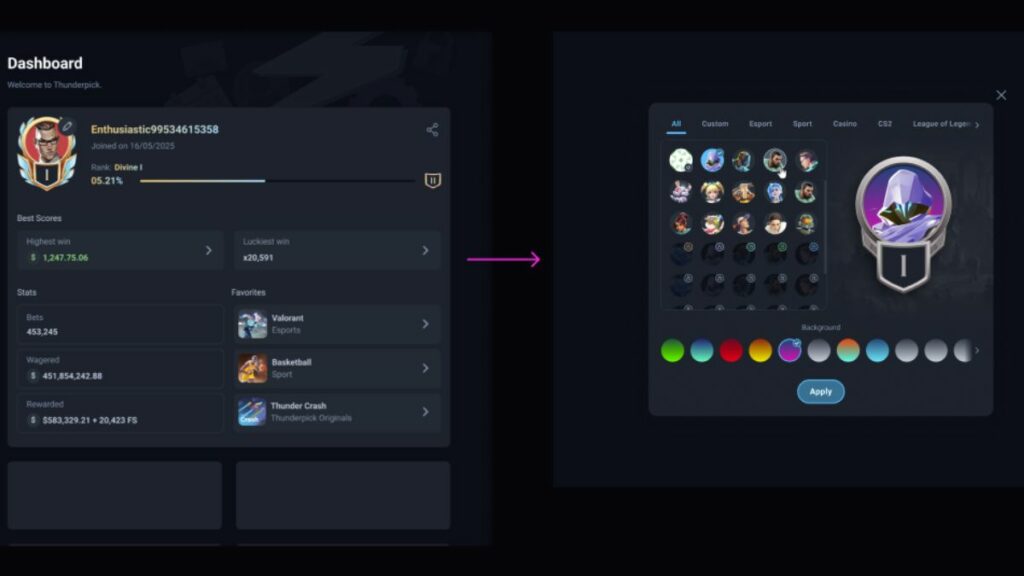
How to use Public Profiles
Before you had to specifically share your stats when we first spruced up accounts with the Social Avatars. Now, non-private accounts are even easier to share. Users must be logged in to have access to public profiles. From here you can click a player’s username in our bustling public Chat, in Giveaways, races and the Recent/Top winners page to have a look at their Public Profile.
Now that sharing your big wins and proudest moments is easier than ever, there’s all the more reason to customise your own profile!